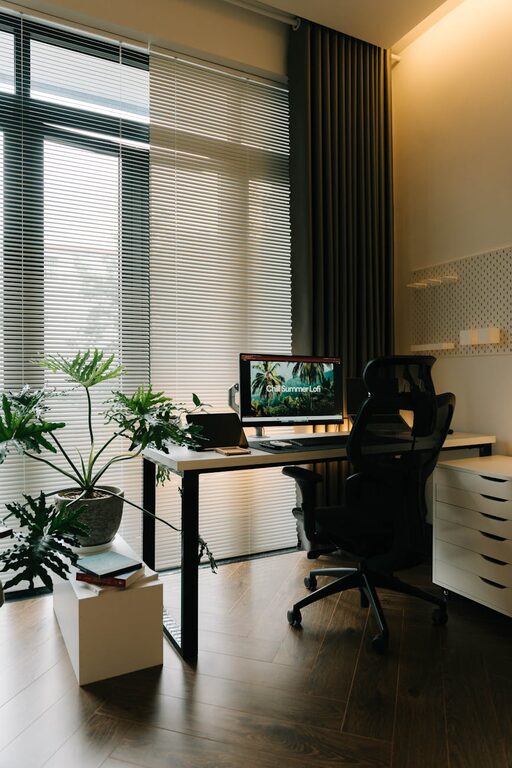

Creating and maintaining a clutter-free workspace is essential for boosting productivity and fostering a positive work environment. Whether you work from home or in an office, the way your workspace is organized can significantly impact your ability to focus, reduce stress, and complete tasks efficiently. In this post, we’ll explore practical tips to help you organize your workspace effectively and keep clutter at bay.
Why a Clutter-Free Workspace Matters
Before diving into tips, it’s helpful to understand why reducing clutter can improve productivity:
– Minimizes distractions: A tidy space allows you to concentrate better on your tasks.
– Saves time: When everything is in its place, you spend less time searching for items.
– Boosts motivation: An organized area encourages a positive mindset and work ethic.
– Reduces stress: Clutter can create a feeling of overwhelm; organizing helps calm your mind.
Step 1: Clear Everything and Start Fresh
Before organizing, clear your desk completely. Remove all items and give your workspace a thorough clean. This “blank slate” approach helps you see what you truly need and what might be unnecessary clutter.
How to Clear Your Workspace:
– Remove papers, stationery, gadgets, and personal items.
– Wipe down surfaces and clean your keyboard and monitor.
– Only return essentials to the workspace.
Step 2: Sort and Categorize Your Items
Once cleared, sort through your belongings and categorize them. Group similar items like documents, writing tools, cables, and electronics.
Tips for Sorting:
– Use labeled bins or trays to keep categories separated.
– Discard or recycle items that are no longer useful.
– Digitize documents when possible to reduce paper clutter.
Step 3: Use Smart Storage Solutions
Effective storage is key for maintaining an organized workspace. Invest in functional storage tools that fit your needs and space.
Popular Storage Ideas:
– Drawer organizers to keep small items neat.
– Shelving or cubbies for books and binders.
– Cable clips or holders to prevent tangled wires.
– Desk organizers for pens, notepads, and accessories.
Pro Tip:
Choose storage that complements your workspace and encourages you to keep things in their proper place.
Step 4: Organize Your Digital Workspace Too
Productivity goes beyond physical space. A cluttered computer desktop or disorganized files can also cause distractions and wasted time.
Digital Organization Tips:
– Create folders for documents and sort files logically.
– Delete unnecessary files regularly.
– Use cloud storage to free up space and maintain access across devices.
– Limit desktop icons to only what you use daily.
Step 5: Establish Daily and Weekly Routines
Keeping your workspace organized requires consistency. Set aside time daily and weekly to tidy and reorganize.
Daily Habits:
– Clear your desk at the end of each workday.
– Put items back in their designated spots immediately after use.
– Quickly declutter any accumulated papers or trash.
Weekly Habits:
– Review your supplies and replenish if needed.
– File documents or digitize papers.
– Deep clean your work area thoroughly.
Step 6: Personalize Mindfully
While it’s great to personalize your workspace with photos, plants, or inspiring objects, avoid overdoing it. Too many personal items can become clutter and decrease productivity.
Suggestions for Personalization:
– Choose one or two meaningful items that lift your mood.
– Opt for low-maintenance plants to add freshness.
– Keep decorations minimal to maintain a clean, focused environment.
Step 7: Optimize Layout for Efficiency and Comfort
An organized workspace is also about how items are arranged. Consider ergonomics and convenience to maximize both comfort and productivity.
Tips for Setup:
– Place frequently used items within easy reach.
– Position your monitor at eye level to avoid strain.
– Use adjustable chairs and desks to maintain good posture.
– Ensure you have enough lighting, preferably natural light.
Step 8: Limit Multitasking Items
Many people keep multiple gadgets or note-taking tools, which can create unnecessary clutter and divided attention.
How to Simplify:
– Choose one main device for notes or scheduling.
– Use apps that consolidate tasks and reminders.
– Avoid keeping unused gadgets or cables on your desk.
Final Thoughts
A clutter-free workspace is achievable with deliberate effort and practical habits. By clearing unnecessary items, sorting and storing smartly, maintaining daily routines, and keeping your space personalized yet simple, you’ll create an environment that supports focus and productivity.
Remember, the goal is progress, not perfection. Small, consistent steps toward organizing your workspace will lead to big improvements in how you work and feel during your day. Start today, and enjoy the benefits of a tidy, energized work environment!